


It is the fifth of the month, and finance is two days into the bank reconciliation. The bank statement is open in one window and the cash book in another. The M-Pesa statement, several hundred lines long, is in a third.
Most of the work is matching. This receipt belongs to that invoice. This payment belongs to that supplier. This small deduction is a bank charge that someone will post in a minute.
None of it is difficult. It is repetitive, and repetitive work is exactly what the system should be doing for you.
What reconciliation actually involves
Reconciliation proves that the cash your books say you hold is the cash the bank says you hold. When you look closely at a statement, the lines fall into three kinds.
Lines that match cleanly. The amount and the reference agree with an open invoice or a bill. These should never need a person.
Lines that need judgement. One payment covers three invoices. A customer paid the invoice less withholding tax. A supplier was paid in two instalments. These need a person, but only to confirm.
Lines with no document at all. Bank charges, interest and M-Pesa transaction fees. There is nothing to match them to, so they need rules.
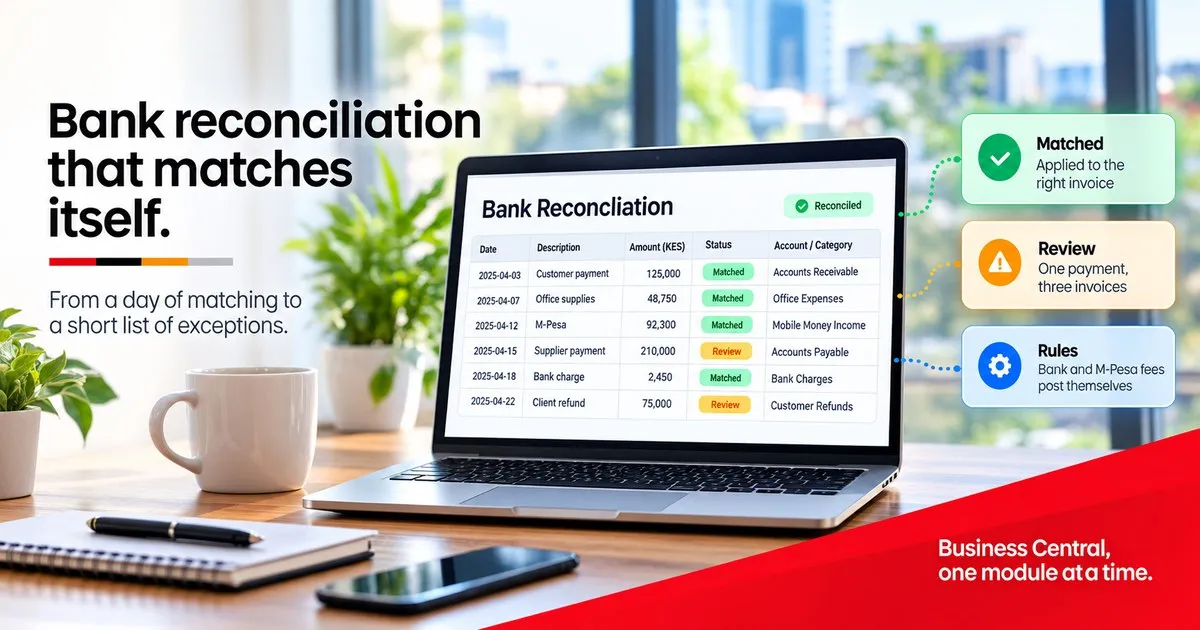
In a manual process, all three kinds get the same treatment: a person, a screen and a lot of scrolling. In Business Central, the first kind is matched for you, the second is proposed for your approval, and the third is posted from rules you set once.
How Business Central does it
The work happens in two places, and they fit together.
The Payment Reconciliation Journal takes the imported statement and proposes matches against your open customer and vendor entries. Each proposal carries a confidence level, so reviewers spend their time on the doubtful lines and accept the obvious ones in bulk. When you post, the payments are applied to the right invoices and the bank account entries are marked as reconciled.
Text-to-account mapping handles the lines with no document. You teach the system once that a particular bank charge, interest line or transaction fee belongs to a particular G/L account. From then on those lines post themselves, and, because they can carry dimensions, they land coded by branch or department rather than in a lump. (We cover that in One ledger, every way you report.)
One piece of set-up sits behind this. Every bank exports its statement in its own layout, so Business Central reads each layout through a mapping that is built once per bank and format, then reused every month.
All of this is part of Business Central Essentials. It does not need an upgrade or an add-on licence.
Where M-Pesa fits
Here is the honest part. Business Central does not ship with a ready-made M-Pesa connection. There are two routes, and the right one depends on volume.
The statement route. Export the statement from your M-Pesa business portal and import it the same way you import a bank statement, with its layout mapped once. For a business that receives a few dozen M-Pesa payments a week, this is usually enough. It is still a monthly job, but it becomes a short one.
The integration route. Safaricom’s Daraja platform can notify your systems of each payment as it arrives. An integration then records the payment against the customer, using the reference they paid with, at the moment it happens. By the time anyone reconciles, the work has largely been done. For a distributor or a school collecting hundreds of paybill or till payments a day, this is where the time is saved.
Building that connection is the kind of work we do for Business Central, and for any other ERP with an API.
Three mistakes to avoid
Reconciling only at month end. A weekly reconciliation is a small list. A monthly one is a pile, and errors are much harder to trace once a month has passed.
Letting customers pay without a reference. Automatic matching is only as good as the reference on the payment. Ask customers to pay quoting the invoice or account number, and make that instruction impossible to miss on the invoice itself.
Parking the unmatched items in a suspense account. A suspense account is a promise to look at something later. Left alone, it grows, and the next audit finds it. Clear it at every reconciliation, even if clearing it means asking a question.
When you don’t need this
One bank account, a handful of transactions a month, and a reconciliation that takes an hour? Then your current process is working, and there is nothing here to buy.
For everyone else, a reconciliation that takes days is a sign that the system is being used as a record-keeper rather than as a tool.
A quick check
Take last month’s bank statement and your M-Pesa statement, and sort the lines into the three kinds above. If most of them are clean matches or rule-based lines, the reconciliation should not need a person for most of its length.
If you would like help doing that sort, it is a 20-minute conversation with no slide deck. We will tell you honestly whether the fix is configuration or an integration. Write to info@trendpro.co.ke or call +254 723 343 353.
TrendPro Systems. This series covers one Business Central module at a time: what it does, when you need it, and when you don’t.
Related in the series: HR and the payroll boundary, on why Business Central holds the employee record but not the payslip. One ledger, every way you report, on splitting every cost by branch, project or donor.